Print or save as PDF: use your browser’s Print dialog.
Imprime o guarda como PDF: usa el diálogo de impresión de tu navegador.
One portal.
Every surface a consulting business needs.
Un portal.
Cada superficie que un negocio de consultoría necesita.
How I turned scattered business data into a knowledge system that compounds — with markdown, vanilla JS, and AI. A case study in building a business operating layer you own.
Cómo convertí datos de negocio dispersos en un sistema de conocimiento que se acumula — con markdown, JS vanilla e IA. Un caso de estudio sobre construir una capa operativa del negocio que tú posees.

Running a design consultancy means juggling CRM, finances, strategy, operations, and marketing at once. The default is fragmentation: a spreadsheet here, a slide deck there, context buried in email. This page is the story of the opposite — a single portal where raw inputs become structured knowledge, and knowledge becomes insights and decisions.
Llevar una consultoría de diseño significa hacer malabares con CRM, finanzas, estrategia, operaciones y marketing a la vez. Por defecto todo se fragmenta: una hoja de cálculo por aquí, una presentación por allá, el contexto enterrado en el correo. Esta página cuenta lo contrario — un solo portal donde los insumos crudos se vuelven conocimiento estructurado, y el conocimiento se vuelve insights y decisiones.

The three-layer model
El modelo de tres capas
Inputs
Insumos
Raw business data from many sources — scattered across tools by default. The portal gives them a home.
Datos crudos del negocio desde muchas fuentes — dispersos entre herramientas por defecto. El portal les da un hogar.
- CRM / contactsDex, LinkedIn exports, event tagging
- Financial dataMonarch CSV, invoices, running costs, budget
- StrategyBMC, competitor swipes, persona research
- OperationsPipeline deals, session notes, tasks, OKRs
- MarketingEmail copy, social, elevator speeches, brand voice, lead magnets
- CRM / contactosDex, exports de LinkedIn, etiquetado de eventos
- Datos financierosCSV de Monarch, facturas, costos recurrentes, presupuesto
- EstrategiaBMC, swipes de competencia, research de personas
- OperacionesDeals del pipeline, notas de sesión, tareas, OKRs
- MarketingCopy de email, social, elevator speeches, voz de marca, lead magnets
Knowledge
Conocimiento
Markdown is the source of truth. Ten-plus sync scripts compile it into portal data. The AI maintains it — you direct.
Markdown es la fuente de verdad. Diez y más scripts de sincronización lo compilan en datos del portal. La IA lo mantiene — tú diriges.
- Offers catalog
messaging/offers.md→ priced, linked pages - Competitive landscapeSwipe notes → normalized cards
- Personas & strategyBMC, positioning, research hub
- Pipeline & contactsStaged deals, qualification, tags
- Session resourcesNotes → tasks, messaging, library
- Finance viewsCategorized, date-ranged transparency
- Catálogo de ofertas
messaging/offers.md→ páginas con precio y enlaces - Panorama competitivoNotas swipe → tarjetas normalizadas
- Personas y estrategiaBMC, posicionamiento, hub de research
- Pipeline y contactosDeals por etapa, calificación, etiquetas
- Recursos de sesiónNotas → tareas, mensajes, biblioteca
- Vistas de finanzasTransparencia por categoría y rango de fechas
Insights & decisions
Insights y decisiones
The portal is not a dashboard you stare at. It’s a system you operate through.
El portal no es un dashboard que solo miras. Es un sistema a través del cual operas.
- Pricing emulatorModel scenarios before a proposal call
- Engagement calculatorScope and price in real time
- Finance dashboardRevenue, variance, running costs, pipeline forecast
- Pipeline kanbanEst. value feeding projections
- OKRs & 90-day trackerOn track at a glance
- Discovery configStructured qualification on sales calls
- Email sequencesKit-ready copy, PDF export for review
- Emulador de preciosModela escenarios antes de una llamada de propuesta
- Calculadora de engagementDefine alcance y precio en tiempo real
- Dashboard de finanzasIngresos, variación, costos recurrentes, pronóstico del pipeline
- Kanban del pipelineValor estimado que alimenta las proyecciones
- OKRs y tracker de 90 díasEn camino de un vistazo
- Config de discoveryCalificación estructurada en llamadas de venta
- Secuencias de emailCopy listo para Kit, export a PDF para revisión
Layer 1 — detail
Capa 1 — detalle
What goes in
Qué entra
- CRM / contacts — Contacts from Dex, LinkedIn exports, and event tags land as data the portal can browse and qualify.
- Financial data — Monarch Money exports, invoice metadata, running-cost configs, and budget JSON power revenue and spend views.
- Strategy — Business Model Canvas, competitor swipe files, and persona work become linked strategy pages.
- Operations — Pipeline markdown, cohort session notes, Linear-linked tasks, and OKR docs stay authoritative in the repo.
- Marketing — Elevator speeches, stories, email sequences, social campaigns, and brand voice live as markdown and JSON sources.
- CRM / contactos — Contactos de Dex, exports de LinkedIn y etiquetas de eventos llegan como datos que el portal puede explorar y calificar.
- Datos financieros — Exports de Monarch Money, metadatos de facturas, configs de costos recurrentes y JSON de presupuesto alimentan las vistas de ingresos y gastos.
- Estrategia — Business Model Canvas, archivos swipe de competencia y trabajo de personas se vuelven páginas de estrategia enlazadas.
- Operaciones — Markdown del pipeline, notas de sesión de cohorte, tareas enlazadas a Linear y docs de OKRs se mantienen como fuente autoritativa en el repo.
- Marketing — Elevator speeches, historias, secuencias de email, campañas sociales y voz de marca viven como fuentes en markdown y JSON.
Key point: Inputs start life in specialist tools. The portal is the layer where they converge — same navigation, same design system, same truth.
Punto clave: Los insumos nacen en herramientas especializadas. El portal es la capa donde convergen — misma navegación, mismo sistema de diseño, misma verdad.
Layer 2 — detail
Capa 2 — detalle
What gets organized
Qué se organiza
- Offer definitions in markdown sync to a browsable catalog with positioning and cross-links.
- Session and cohort notes propagate into task lists, resource stubs, and portal HTML exports.
- Competitor research normalizes into a matrix-friendly data shape for the competitive landscape page.
- Financial CSVs and configs drive filtered dashboards — business vs personal, hygiene rules, duplicate handling.
- Contacts merge snapshot data with browser-side qualification (stage, score, next action) without locking you into one SaaS UI.
- Las definiciones de ofertas en markdown se sincronizan a un catálogo navegable con posicionamiento y enlaces cruzados.
- Las notas de sesión y de cohorte se propagan a listas de tareas, stubs de recursos y exports HTML del portal.
- El research de competencia se normaliza en una forma de datos apta para matrices en la página de panorama competitivo.
- Los CSV y configs financieros alimentan dashboards filtrados — negocio vs personal, reglas de higiene, manejo de duplicados.
- Los contactos combinan datos de snapshot con calificación del lado del navegador (etapa, score, siguiente acción) sin amarrarte a una sola UI de SaaS.
Key point: Knowledge is compiled, not copy-pasted. One edit in source can refresh every surface that depends on it.
Punto clave: El conocimiento se compila, no se copia y pega. Una edición en la fuente puede refrescar cada superficie que depende de ella.
Layer 3 — detail
Capa 3 — detalle
What comes out
Qué sale
- Pricing & engagement tools — Emulators and calculators turn offer math into something you can use on a live call.
- Finance transparency — Paid, invoiced, and pipeline-estimated revenue in one bar; rolling charts and client rollups when you need depth.
- Planning surfaces — OKRs and a 90-day tracker connect execution to the quarter you’re in.
- Sales readiness — Discovery configuration and proposals index support consistent qualification and packaging.
- Campaign ops — Email sequences with export paths for signoff; social content synced from structured JSON.
- Herramientas de precios y engagement — Emuladores y calculadoras convierten la matemática de ofertas en algo que puedes usar en una llamada en vivo.
- Transparencia financiera — Ingresos pagados, facturados y estimados del pipeline en una sola barra; gráficas continuas y rollups por cliente cuando necesitas profundidad.
- Superficies de planeación — OKRs y un tracker de 90 días conectan la ejecución con el trimestre en curso.
- Preparación de ventas — La configuración de discovery y el índice de propuestas apoyan una calificación y empaquetado consistentes.
- Operación de campañas — Secuencias de email con rutas de export para firma; contenido social sincronizado desde JSON estructurado.
Key point: The output isn’t “more reports.” It’s decision-grade views you open when you’re about to act.
Punto clave: El resultado no es “más reportes”. Son vistas a nivel de decisión que abres cuando estás a punto de actuar.
How it’s built
Cómo está construido
Architecture (compact)
Arquitectura (compacta)
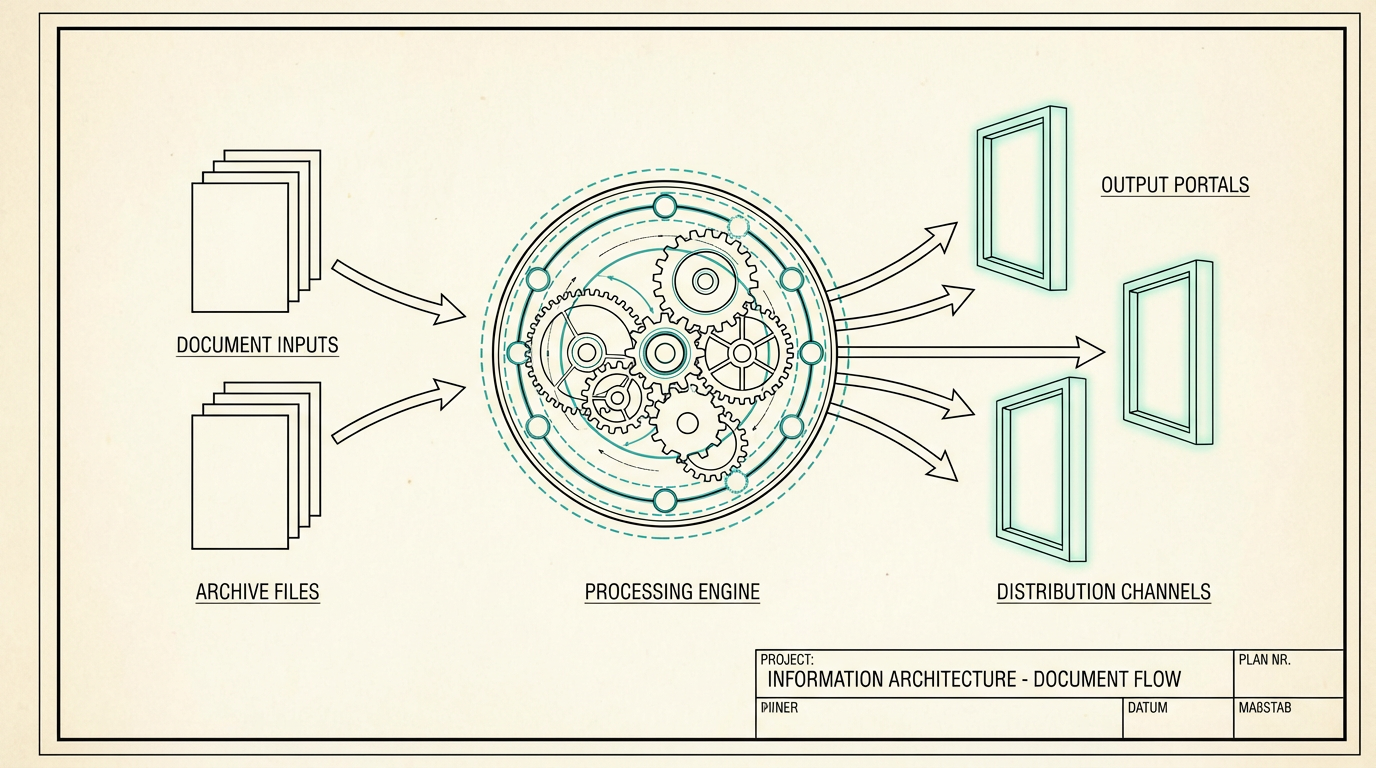
- 50+Portal pages across strategy, finance, sales, messaging, ops, cohort, system
- 5×2Design palettes × light/dark modes
- 28JS modules · 0 frameworks
- 10+Sync scripts from markdown & exports
- 15+AI skills for recurring workflows
- 50+Páginas del portal en estrategia, finanzas, ventas, mensajes, ops, cohorte, sistema
- 5×2Paletas de diseño × modos claro/oscuro
- 28Módulos JS · 0 frameworks
- 10+Scripts de sincronización desde markdown y exports
- 15+Skills de IA para flujos recurrentes
Design system
Sistema de diseño
One token file, every page
Un archivo de tokens, todas las páginas
Palette and mode are orthogonal: pick a brand axis (Atelier, Courage, Minimal, HL, Blueprint) and a luminance axis (light / dark). tokens.css holds the custom properties — change a token, and the whole portal moves together.
Paleta y modo son ortogonales: eliges un eje de marca (Atelier, Courage, Minimal, HL, Blueprint) y un eje de luminancia (claro / oscuro). tokens.css guarda las propiedades personalizadas — cambias un token y todo el portal se mueve en conjunto.

Before & after
Antes y después
Before
Antes
Strategy in a Google Doc updated twice a year. Pipeline in a spreadsheet. Finances in Monarch with no unified business view. Messaging scattered across drafts. Session notes in a folder nobody reopens.
Estrategia en un Google Doc que se actualiza dos veces al año. Pipeline en una hoja de cálculo. Finanzas en Monarch sin una vista de negocio unificada. Mensajes dispersos entre borradores. Notas de sesión en una carpeta que nadie vuelve a abrir.
After
Después
One portal. Pull up the one-sheet before a call. Check pipeline and finance in the same session. Draft an email sequence and export it for Kit. Process a cohort session and watch tasks, messaging, and resources stay in sync.
Un portal. Abres el one-sheet antes de una llamada. Revisas pipeline y finanzas en la misma sesión. Redactas una secuencia de email y la exportas para Kit. Procesas una sesión de cohorte y ves cómo tareas, mensajes y recursos se mantienen sincronizados.
Principles
Principios
- —Markdown is the source of truth — portable, diffable, AI-friendly.
- —Compile, don’t copy — one edit propagates everywhere via sync scripts.
- —AI maintains; you direct — the model handles tedious syncing; you own the decisions.
- —Own your infrastructure — no SaaS lock-in; everything lives in a git repo you control.
- —Every exploration adds up — sessions and research feed back into the knowledge base instead of evaporating in chat.
- —Markdown es la fuente de verdad — portable, comparable en diffs, amigable con la IA.
- —Compila, no copies — una edición se propaga a todos lados vía scripts de sincronización.
- —La IA mantiene; tú diriges — el modelo se encarga del sincronizado tedioso; tú eres dueño de las decisiones.
- —Sé dueño de tu infraestructura — sin lock-in de SaaS; todo vive en un repo git que tú controlas.
- —Cada exploración suma — las sesiones y el research regresan a la base de conocimiento en lugar de evaporarse en el chat.

Get the starter kit
Recibe el starter kit
Build your own Business OS
Construye tu propio Business OS
Want this system for your own practice? Get the open-source starter kit — fork the repo, then make it yours. Markdown stays the source of truth; AI keeps it in sync; you own every file.
¿Quieres este sistema para tu propia práctica? Recibe el starter kit open-source — haz fork del repo y hazlo tuyo. Markdown sigue siendo la fuente de verdad; la IA lo mantiene sincronizado; tú eres dueño de cada archivo.
- The Business OS starter repo — static portal shell, design tokens, and sync scripts, ready to fork
- The walkthrough — the three-layer model and how the pipeline fits together
- An architecture map — remix the layers for your own inputs and surfaces
- A demo example — a generated portal you can compare before you build
- El repo starter del Business OS — shell de portal estático, tokens de diseño y scripts de sincronización, listo para hacer fork
- El walkthrough — el modelo de tres capas y cómo encaja el pipeline
- Un mapa de arquitectura — remezcla las capas para tus propios insumos y superficies
- Un ejemplo demo — un portal generado que puedes comparar antes de construir el tuyo
One email with the links. No spam, unsubscribe anytime.
Un correo con los enlaces. Sin spam, te puedes dar de baja cuando quieras.